I've been awarded a SEAL of approval!

my SEAL of approval
Obsidian_Seal has been giving out these wonderful awards and it is of course without doubt one of the biggest honours one could ever receive.
Their website also deserves a visit! There is a (frankly almost ridiculous) number of really amusing and really well-designed projects over there, my favourite of which is wordlelele.
The award-winning creation in question
I wrote a small Python script towards the very end of 2024 to make some interesting visual piece for the home page of this website. That script is available at marbal.ca/ascii.py and shown below.
In my opinion, it's a bit silly because of how it uses certain ASCII characters to display different levels of brightness but then also colours them, but it's still an interesting effect.
Here's an example of what it does:
-
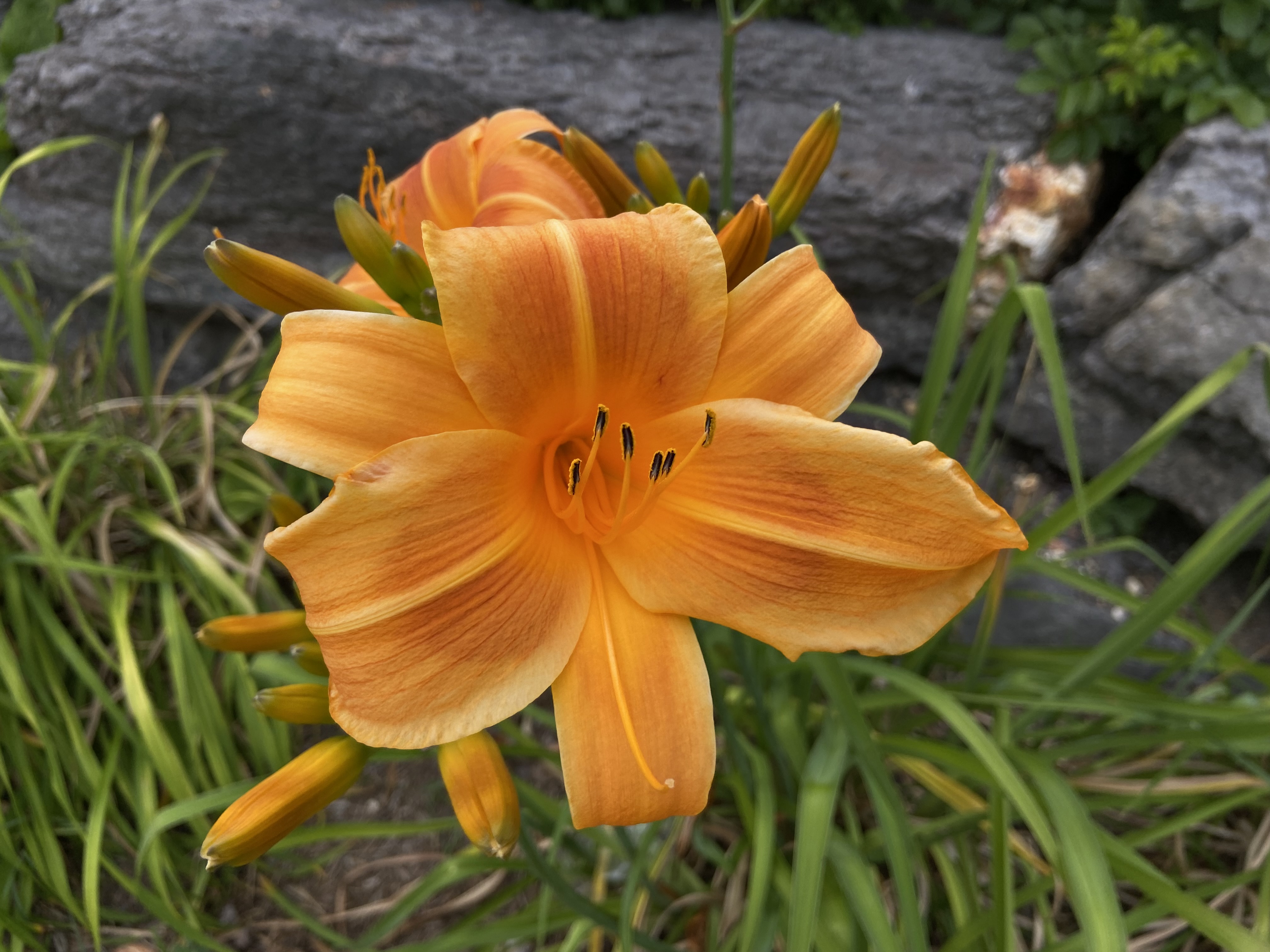
an orange daylily I photographed in Kanata with my iPhone 11
-
6XooaaemXmmeewXhk666kh6$9$$9OKdOqdDd
XEE66qqq99$66ejZeZmmEXwXwmwPE$KH8KPh
PPkhh9qOOKhwuf{FX9Ek6XEEwwwXoSeN9afy
PXEwE$6k6kXw}{}}}f}xZEa6KdKwjjKhPwmS
k6$6Oqq6j]]eaSmXZXma2u}}PdKh6X9hwSoa
XPk6kEh271]yaaXXmXwajfufmdqOqh6qOhwm
kh$$hh6jjffFyoePPXeSSSSjj2ohOd996qOq
PE9q6ZPXZyyoaooZZo2yy2oSy2SSZEhKR8kq
dK6h$6ZEm]fSZeZoufuSoSaZaaaE$kEE66OD
kOKa9E$PESuySSffF]f}9KkhEP9Oq$$$K9k$
Kq9qX$K$EmaSjuhE]FufhdqkqK$Ph9q9q9q6
dOkKXhaeh6666ak9ZZewd$qEK$99hXX$6k$6
OKhK6qdK9kEEkhq99k6O9khkh6q$96mX99Kk
the photograph passed through
ascii.py -s 84
#!/usr/bin/env python3
"""
Create a colored ASCII representation of an image
Copyright (c) 2024 Martin Baldwin
SPDX-License-Identifier: MIT
"""
import argparse
import sys
from PIL import Image
CHARSET = "@QB#NgWM8RDHdOKq9$6khEPXwmeZaoS2yjufF]}{tx1zv7lciL/\\|?*>r^;:_\"~,'.-`"
def parse_argv(argv):
p = argparse.ArgumentParser(description="create a colored ASCII representation of an image")
p.add_argument("infile", help="image file to recreate")
p.add_argument("outfile", help="HTML output file")
p.add_argument("-s", "--scale", type=int, default=8, help="set number of pixels per character on x-axis, default 8 (double this value on y-axis)")
p.add_argument("-r", "--reverse", action="store_true", help="invert colors")
p.add_argument("-n", "--no-color", action="store_true", help="don't colorize output")
p.add_argument("-c", "--character", type=str, help="use the specified string in all cells")
p.add_argument("-p", "--no-parent", action="store_true", help="only output span elements for the picture; output will not be a standalone HTML file")
return p.parse_args(argv[1:])
def main(argv=None):
args = parse_argv(argv or sys.argv)
im = Image.open(args.infile)
rgb_im = im.convert("RGB")
cell_width = args.scale
cell_height = cell_width * 2
width = int(im.width / cell_width)
height = int(im.height / cell_height)
res = ""
if not args.no_parent:
res += "<!DOCTYPE html><html><head><meta charset=\"utf-8\"><style>*{font-family:monospace"
if args.reverse:
res += ";color:white;background-color:black"
else:
res += ";color:black;background-color:white"
res += "}</style></head><body>"
last_r = -1
last_g = -1
last_b = -1
for y in range(height):
for x in range(width):
r_sum = 0
g_sum = 0
b_sum = 0
for cy in range(cell_height):
for cx in range(cell_width):
r, g, b = rgb_im.getpixel((x * cell_width + cx, y * cell_height + cy))
r_sum += r
g_sum += g
b_sum += b
r_avg = r_sum / (cell_width * cell_height)
g_avg = g_sum / (cell_width * cell_height)
b_avg = b_sum / (cell_width * cell_height)
brightness = (r_avg + g_avg + b_avg) / 3
val = min(max(int(brightness * len(CHARSET) / 255), 0), len(CHARSET) - 1)
if args.reverse:
val = len(CHARSET) - 1 - val
if not args.no_color:
r_avg = int(r_avg)
g_avg = int(g_avg)
b_avg = int(b_avg)
if r_avg != last_r or g_avg != last_g or b_avg != last_b:
if last_r >= 0:
res += "</span>"
res += "<span style=\"color: #"
res += f"{r_avg:02x}{g_avg:02x}{b_avg:02x}"
res += "\">"
for c in args.character or CHARSET[val]:
if c == "<":
res += "<"
elif c == ">":
res += ">"
elif c == "&":
res += "&"
else:
res += c
last_r = r_avg
last_g = g_avg
last_b = b_avg
if not args.no_color:
res += "</span>"
res += "<br>"
last_r = -1
if not args.no_parent:
res += "</body></html>"
with open(args.outfile, "w") as f:
f.write(res)
if __name__ == "__main__":
main()